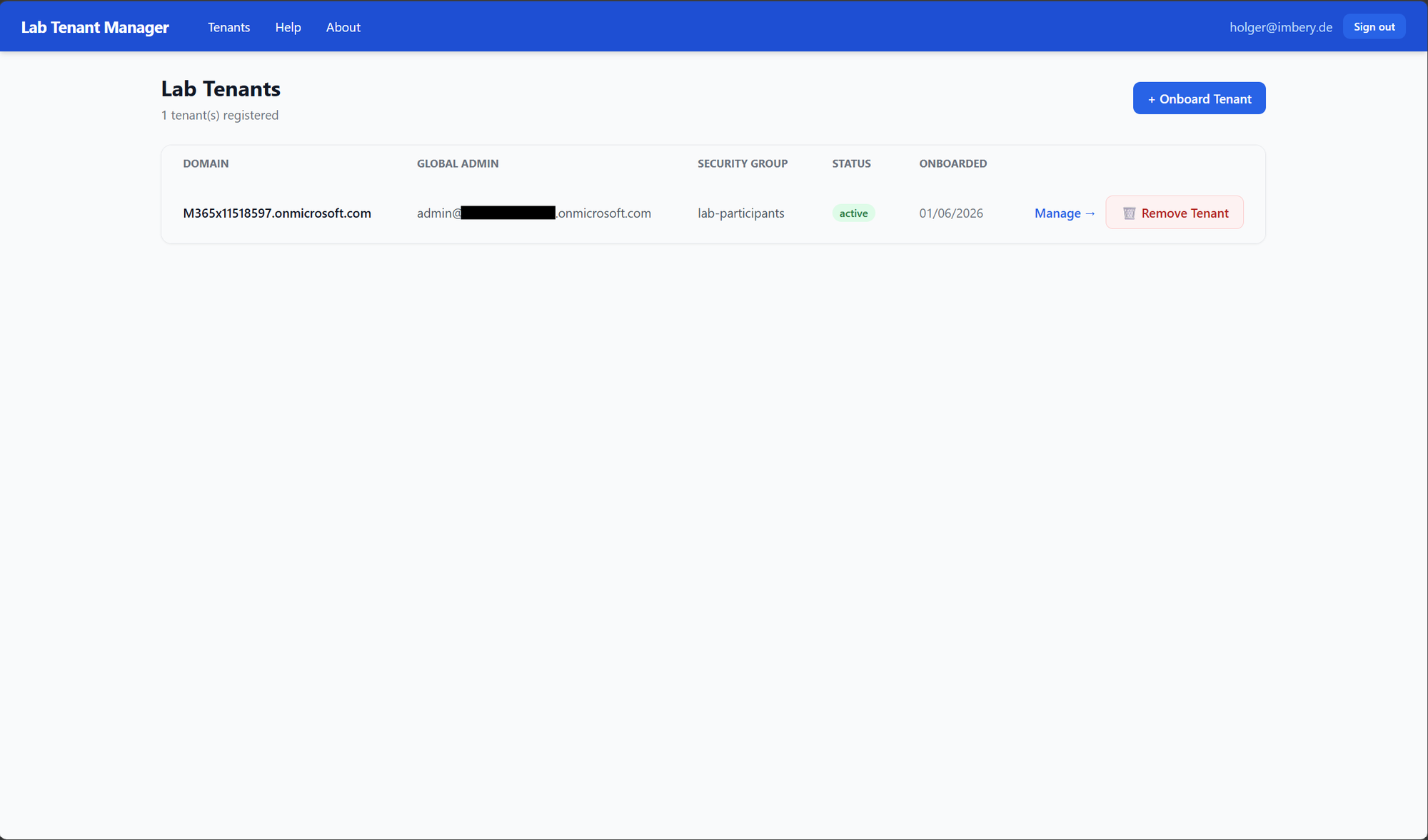
Tenant overview
View onboarded lab tenants, current status, and jump directly into tenant management.
Lab Tenant Manager provisions Microsoft 365 lab tenants, creates dedicated Power Platform, Copilot Studio agent, and Azure AI environments for every participant, and delivers credentials by email — ready for workshops, hackathons, and training labs alike. New in 0.7.0: let your teams create governed developer environments themselves.
Prerequisites are required before deploying. See README Prerequisites and Step 1 — App Registration.
Pre-built image: ghcr.io/holgerimbery/lab-tenant-manager:latest · No build step required
No build step. No Kubernetes. Just deploy and go.
Add any Microsoft 365 tenant via a one-time global-admin consent URL. Choose Workshop lab or Development environments — the app opens the right setup page.
Members of a security group create, renew and delete their own developer environments in a maker portal. Quotas, region, DLP, retention and environment groups are enforced.
Use the members of an existing Entra security group instead of created accounts. Required licenses and free seats are checked against the member count.
Creates one personal Power Platform Developer environment (with Dataverse) per participant, routed to the Maker Welcome experience.
Generate shareable codes with optional expiry and usage limits. Participants self-serve at a public redemption portal.
Sends username, password, Power Apps URL, and Copilot Studio URL from your operator-tenant mailbox. Resend at any time.
Verify tenant licenses, Power Platform token availability, and security group membership before starting provisioning.
Removes only the accounts and environments the app created. Retry a failed participant environment or Lab - Admin / Lab - Target without duplicates.
Refresh an expired delegated Power Platform token without repeating the full onboarding flow.
Managed identity for ACR pull and Key Vault access. Cosmos DB uses its account key and the app registration a client secret, both stored as Container App secrets. Delegated tokens stored encrypted in Key Vault.
Every provisioning action, email send, and cleanup is logged per tenant for full visibility.
Admin and participant flows from onboarding through environment management.
View onboarded lab tenants, current status, and jump directly into tenant management.
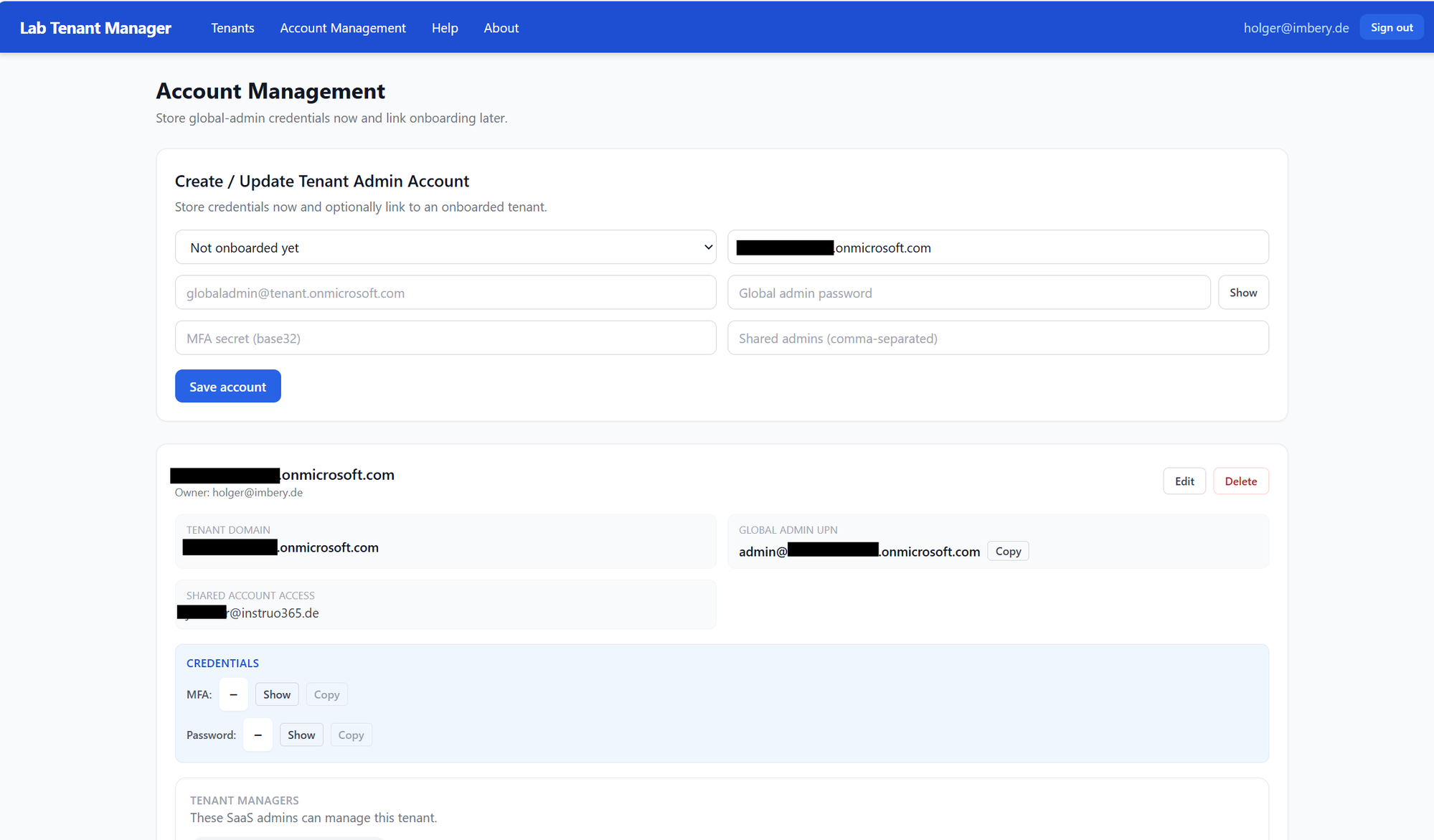
Create or update tenant admin credentials and share access with additional tenant admins.
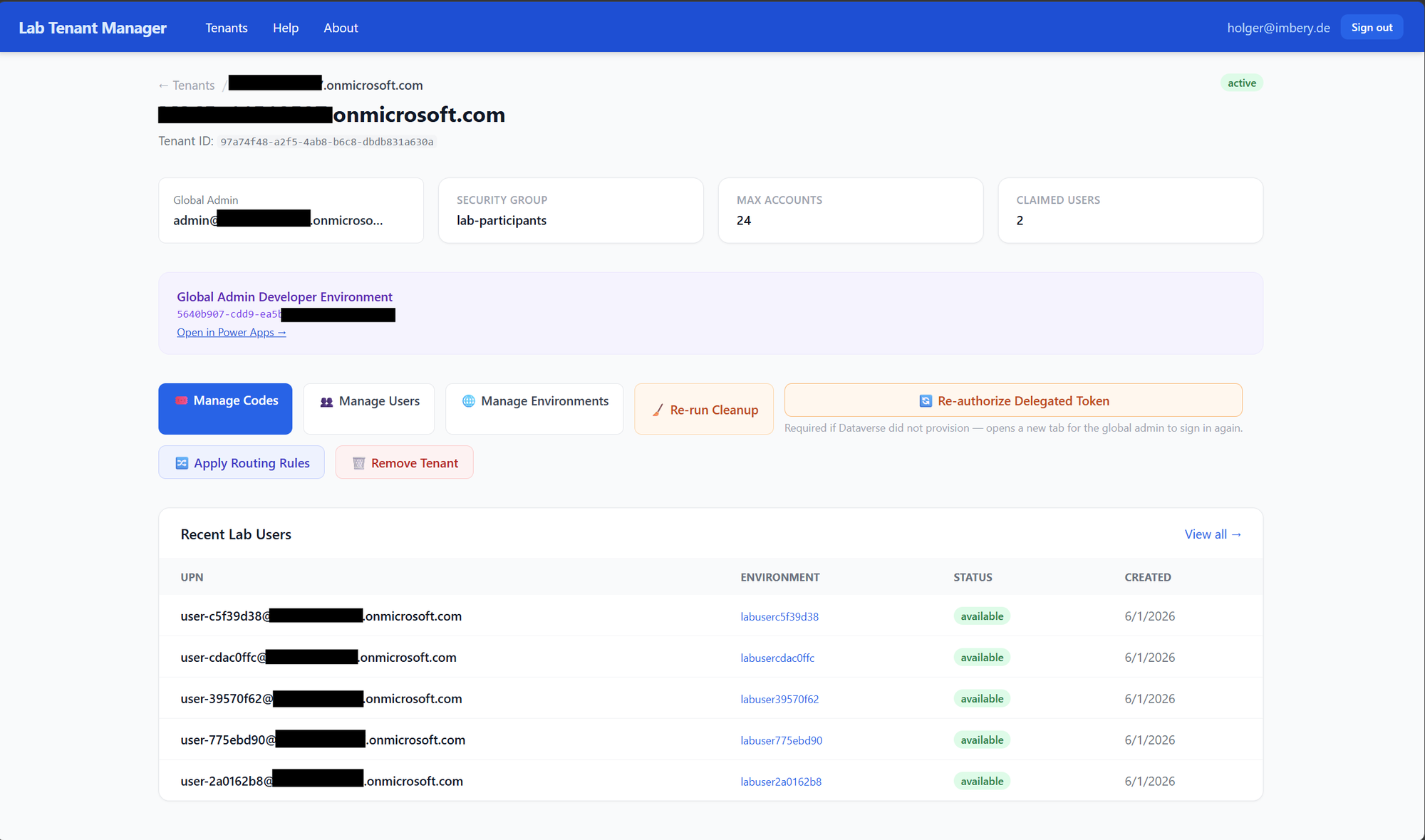
Run cleanup, manage codes and users, and trigger delegated token re-authorization when needed.
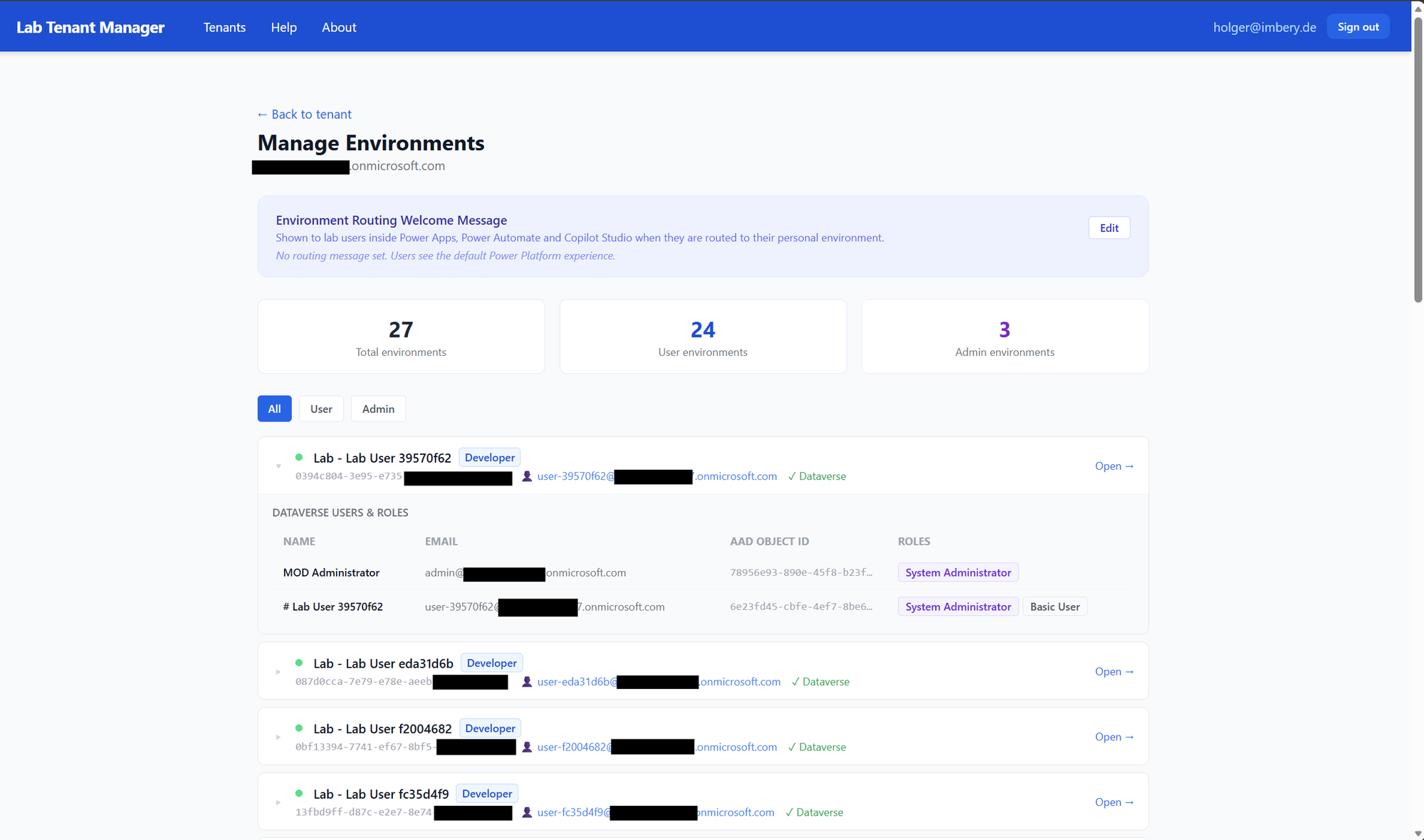
Track user and admin environments, view Dataverse role assignments, and open environments directly.
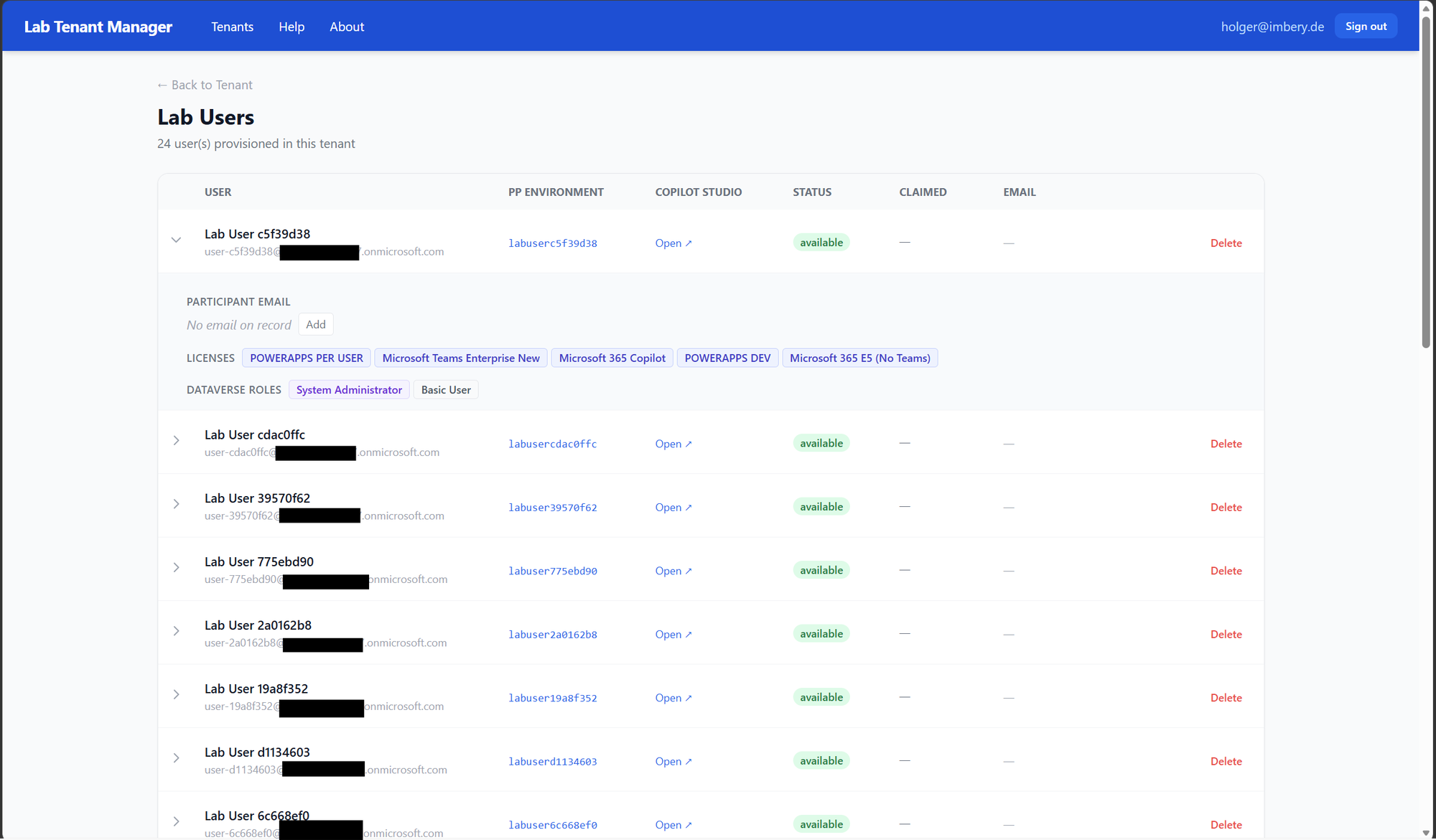
Inspect provisioned users, licenses, claim details, and Dataverse role mappings per participant.
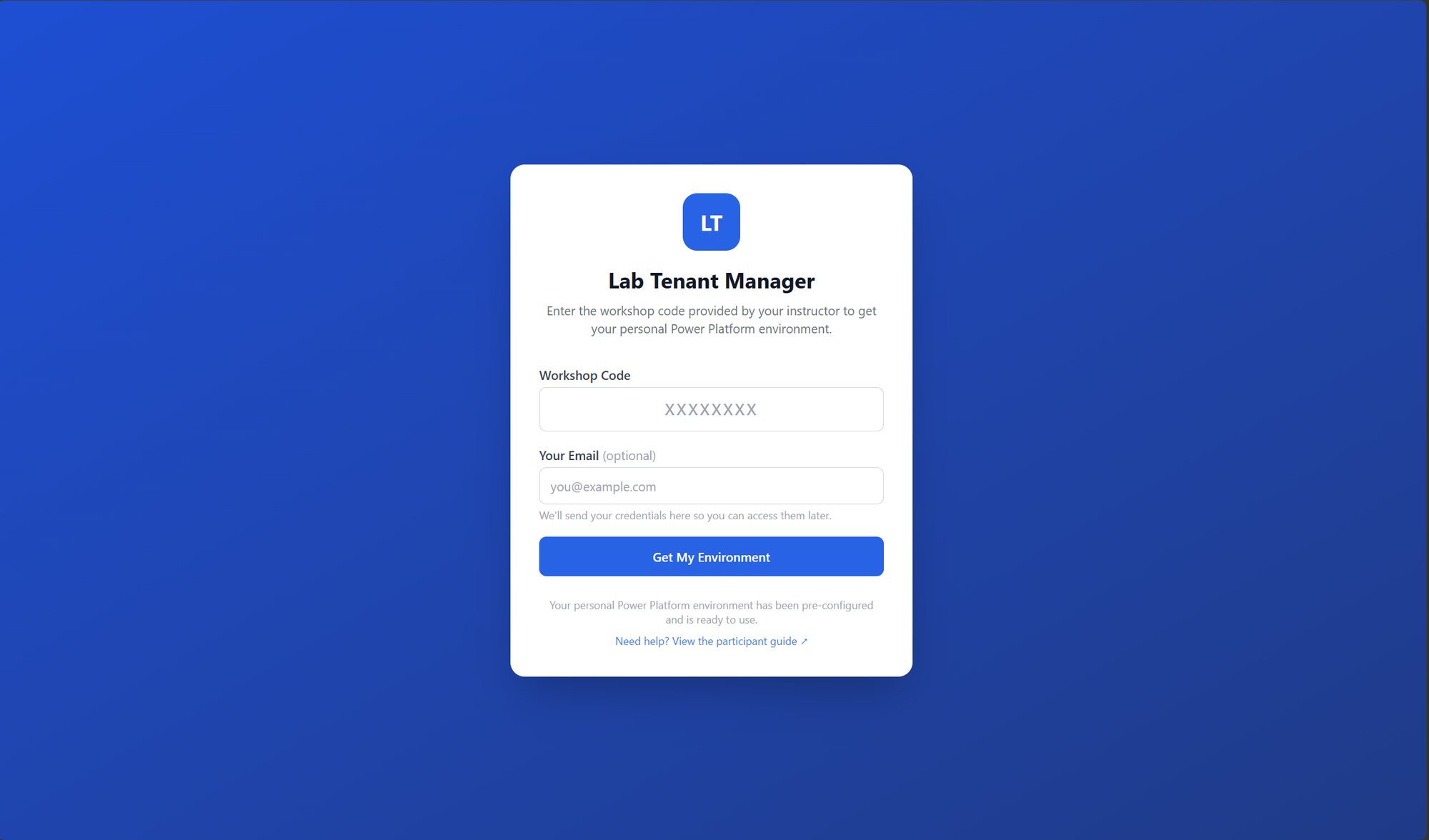
Participants redeem a workshop code and receive their personal Power Platform environment.
Runs entirely in your Azure subscription. No shared infrastructure.
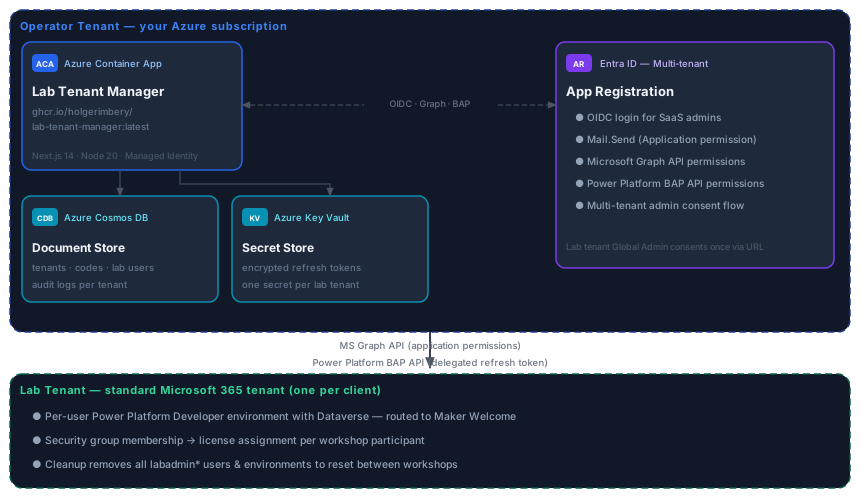
Everything runs with Azure CLI. No build tools required.
Create a multi-tenant Entra ID app registration in your operator tenant, grant the required Microsoft Graph application permissions (User.ReadWrite.All, Group.ReadWrite.All, Directory.ReadWrite.All, LicenseAssignment.ReadWrite.All, Mail.Send) plus the Power Platform delegated scope, then note the client ID and secret. Add redirect URIs after Step 2 once the Container App FQDN is known.
az ad app create \
  --display-name "Lab Tenant Manager" \
--sign-in-audience AzureADMultipleOrgsClick the button or use the CLI. Provisions Container App, Cosmos DB, Key Vault, and role assignments in one step. Once deployed, note the Container App FQDN and add the redirect URIs back to the app registration.
Prerequisites are required before deploying. See README Prerequisites and Step 1 — App Registration.
or via CLI
az group create \
  --name rg-lab-tenant-manager \
  --location northeurope

az deployment group create \
  --resource-group rg-lab-tenant-manager \
  --template-uri https://raw.githubusercontent.com/holgerimbery/lab-tenantmanager/main/deploy/azuredeploy.json \
--parameters baseName=ltm kvAdminObjectId=<your-object-id> powerPlatformGeography=eu-eftaThe deployment first runs a public placeholder image on port 80 — it has no secrets and no database access. Configuration turns it into the running app: it stores the secrets (including the Cosmos account key as COSMOS_KEY), sets the environment variables and the TENANT_MASTER_ADMIN_EMAILS admin allow-list, switches ingress to port 3000, and deploys the GHCR image.
Run the one-shot configuration script — it discovers the deployment outputs, wires every secret and variable, and adds the redirect URIs:
./deploy/scripts/configure-containerapp.ps1 \
  -ResourceGroup rg-lab-tenant-manager \
  -ClientId <client-id> \
  -OperatorTenantId <tenant-id> \
  -MasterAdminEmails admin@yourdomain.com \
-MailSenderUpn noreply@yourdomain.comSign in at https://<your-fqdn>/sign-in with your operator tenant account (the root URL redirects participants to /redeem), then open the Admin Portal at https://<your-fqdn>/admin. A healthy revision does not prove database access — reaching /admin confirms Cosmos connectivity. Choose Workshop lab or Development environments, enter the tenant domain, and share the onboarding URL with the tenant's Global Admin — they consent once, and the app guides you through the rest.
Prerequisites are required before deploying. See README Prerequisites and Step 1 — App Registration.